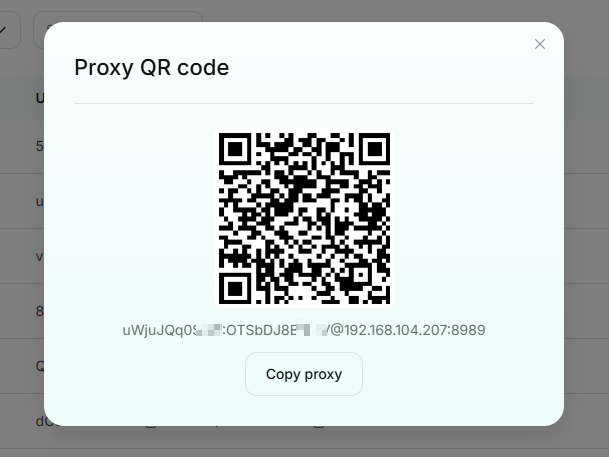
User/Pass Auth
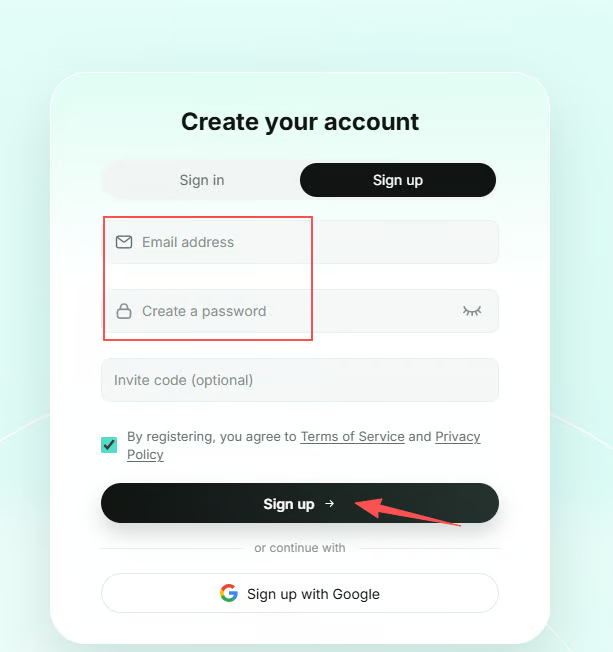
1. Sign Up / Log In
Visit the official SK5Data website and click Sign Up in the upper-right corner to create an account.
2. Purchase a Plan
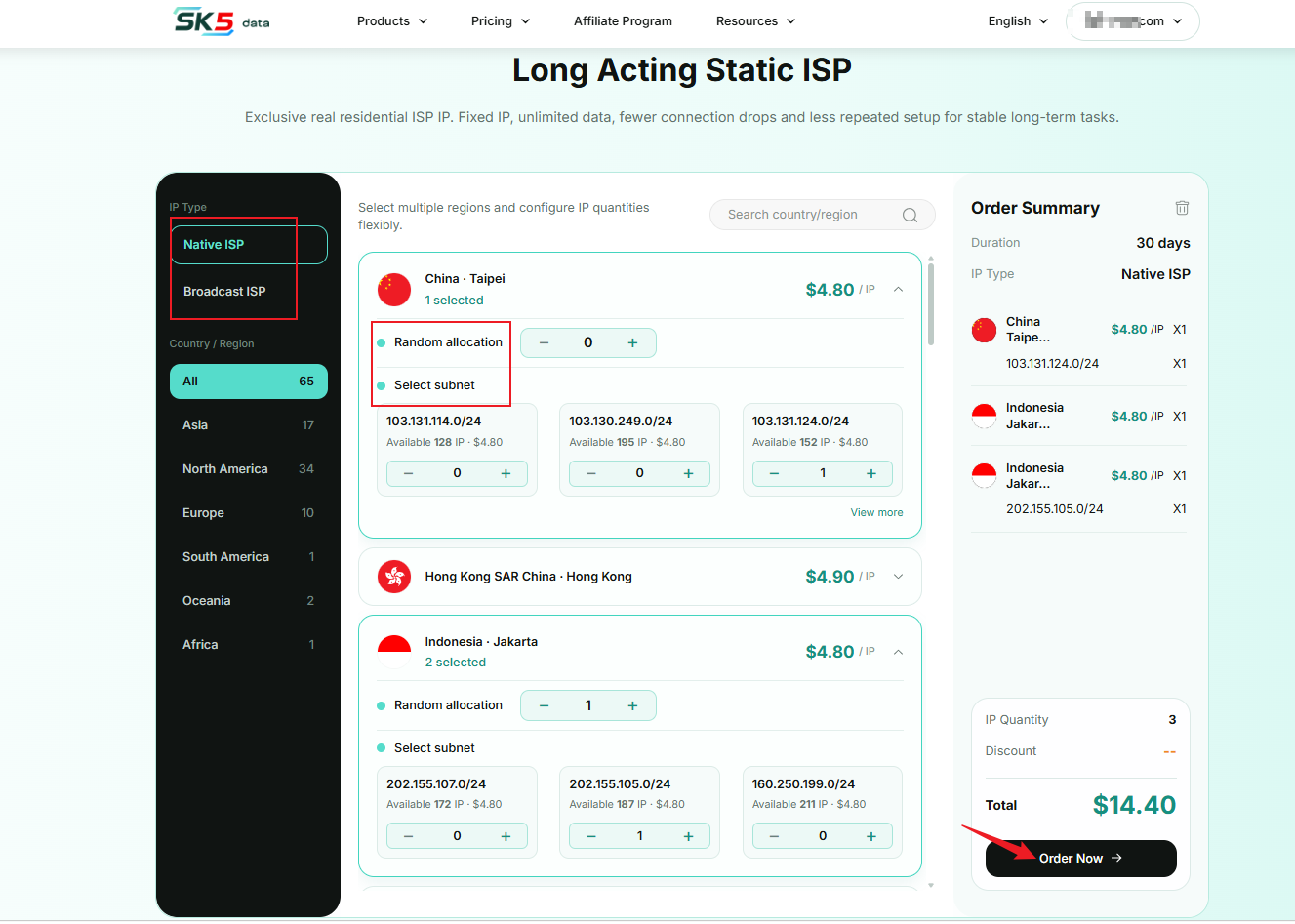
Navigate to Proxies → Long-Term Static ISP → Pricing to access the purchase page. You can customize your IP resources based on your business needs. Follow the steps below to configure and purchase your proxies.
1. Select IP Type
Choose the IP type based on your business requirements:
- Native ISP: Offers higher IP purity and reliability, ideal for business scenarios requiring strict risk control.
- Broadcast ISP: A more cost-effective option for general proxy usage.
2. Select Target Location
Select your target country or region from the list or search bar on the left. You can quickly filter locations by continent (e.g., Asia, North America, or Europe) or enter a country name to find a specific location.
3. Configure IP Quantity and Subnet
Two IP allocation methods are available:
- Random Allocation: Enter the number of IPs you need (supports 1–9,999 IPs). The system will randomly assign available IP addresses.
- Specific Subnet: If you need IPs from a specific subnet (e.g.,
103.131.114.0/24), enter the required quantity for that subnet separately.
All IPs are valid for 30 days. Review the pricing and configuration details in the order summary, then click Buy Now to complete your purchase.
3. Get Started
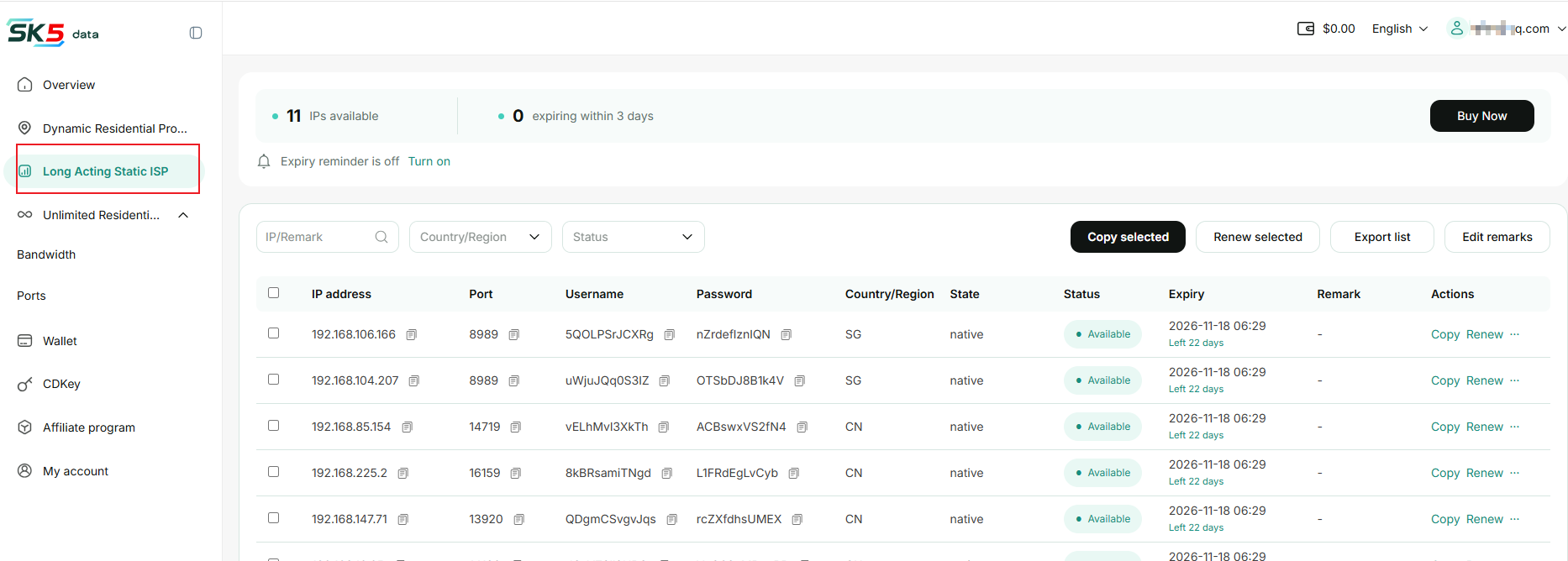
After completing your purchase, go to the dashboard and navigate to Long-Term Static ISP → Proxy List to view and manage your purchased IP addresses.
1. Search & Filter
Quickly find specific IP addresses by entering an IP address or remark, or filtering by country/region and status.
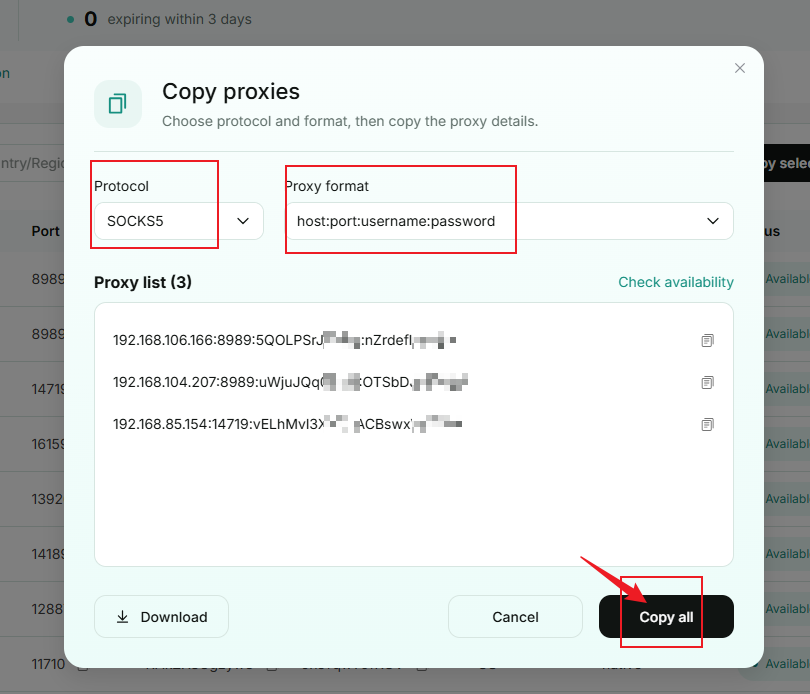
2. Copy
Copy the selected IP information in your preferred format and use it in your browser or other proxy tools.
3. Renew
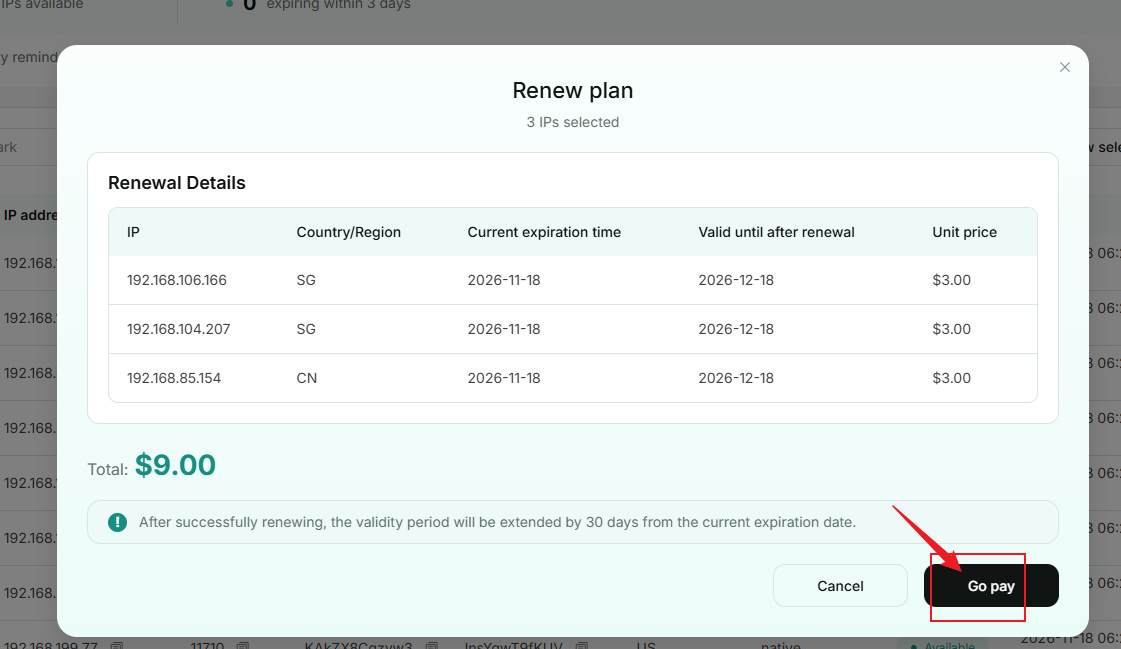
Click Renew for the corresponding IP address. After completing the payment, the IP's validity period will be extended by 30 days from its original expiration date.
4. Bulk Renew
Select the IP addresses you want to renew and click Bulk Renew. After completing the payment, each selected IP's validity period will be extended by 30 days from its respective original expiration date.
5. Edit Credentials
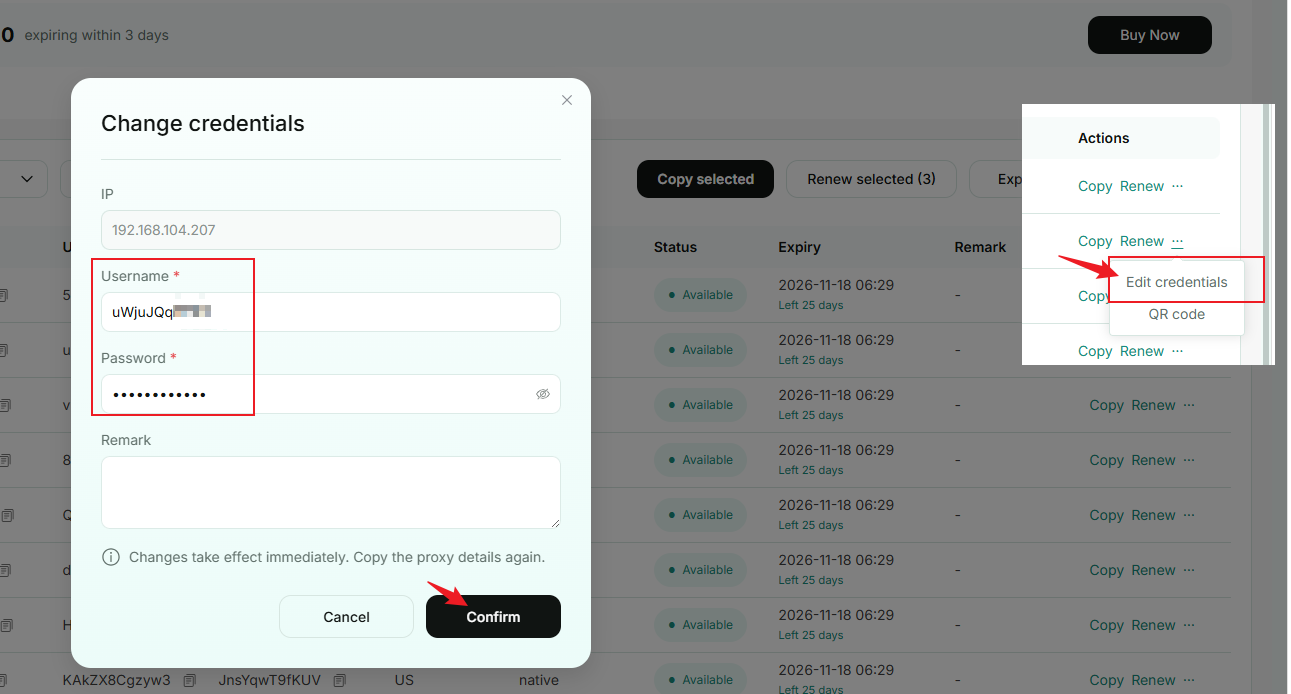
Select an IP address and click Edit to update its username and password.
6. Bulk Edit Remarks
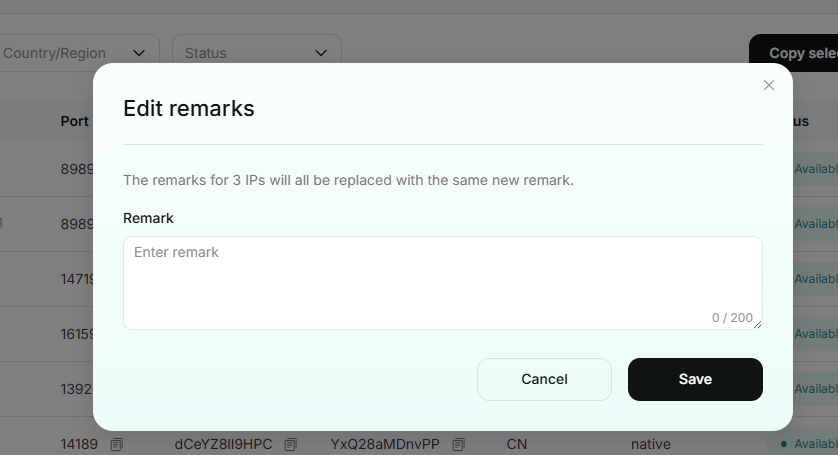
Select the IP addresses you want to update and enter a new remark. After saving, the remarks for all selected IPs will be replaced with the new remark.
7. QR Code
Open the QR Code for the corresponding IP address and scan it with a compatible proxy client to import the proxy configuration without manually entering the IP address, port, username, or password.