User/Pass Auth
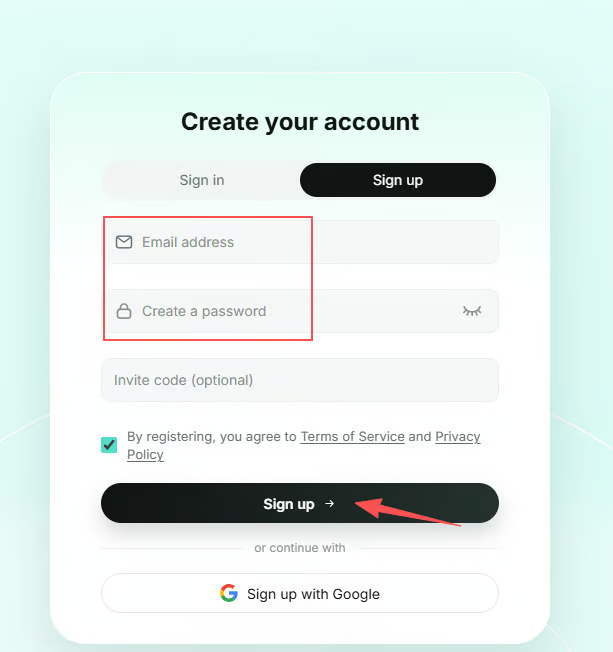
1. Sign Up / Log In
Visit the official SK5Data website and click Sign Up in the upper-right corner to create an account.
2. Purchase a Plan
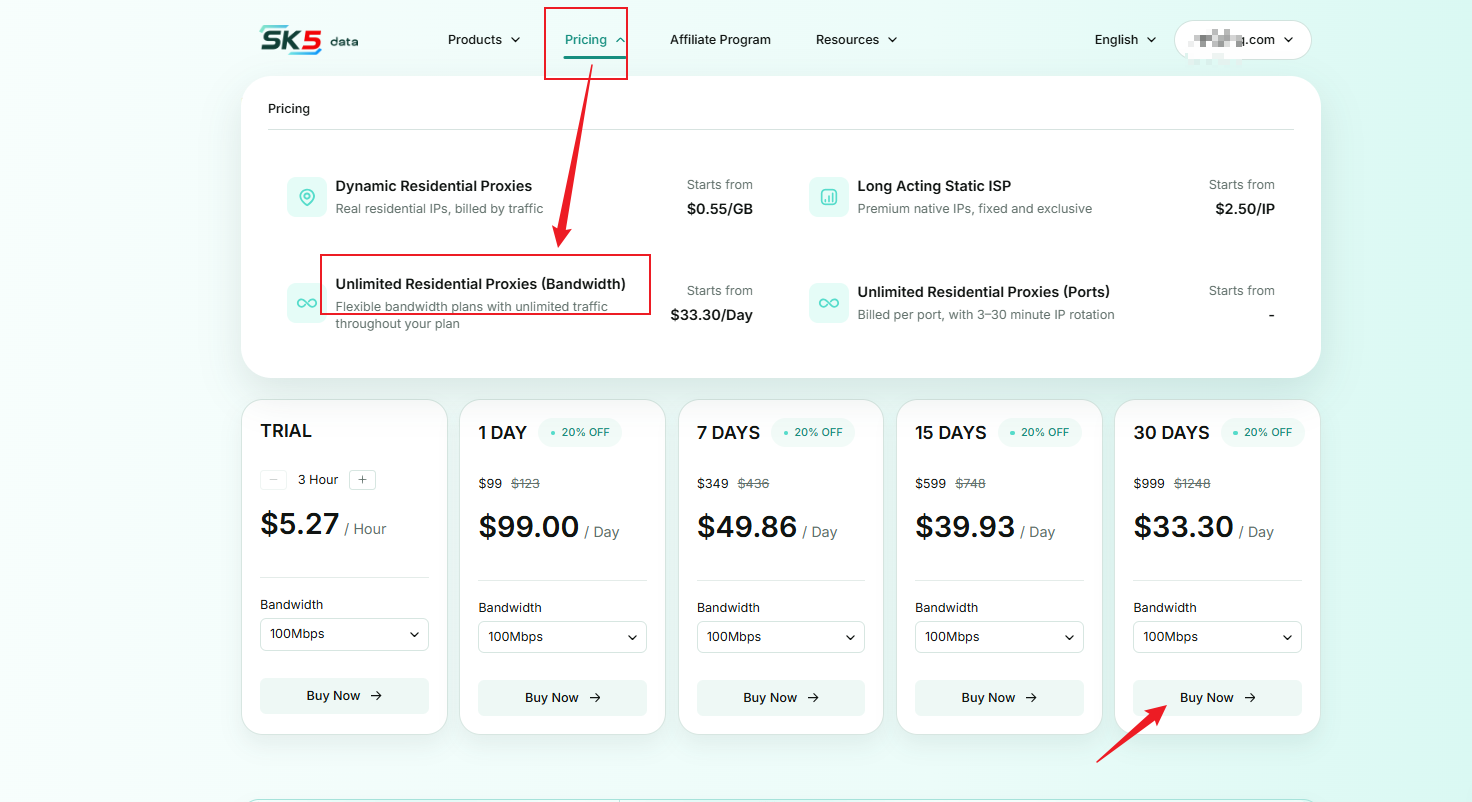
Navigate to Pricing → Unlimited Residential Proxies (Bandwidth) to access the purchase page.
3. Proxy Configuration
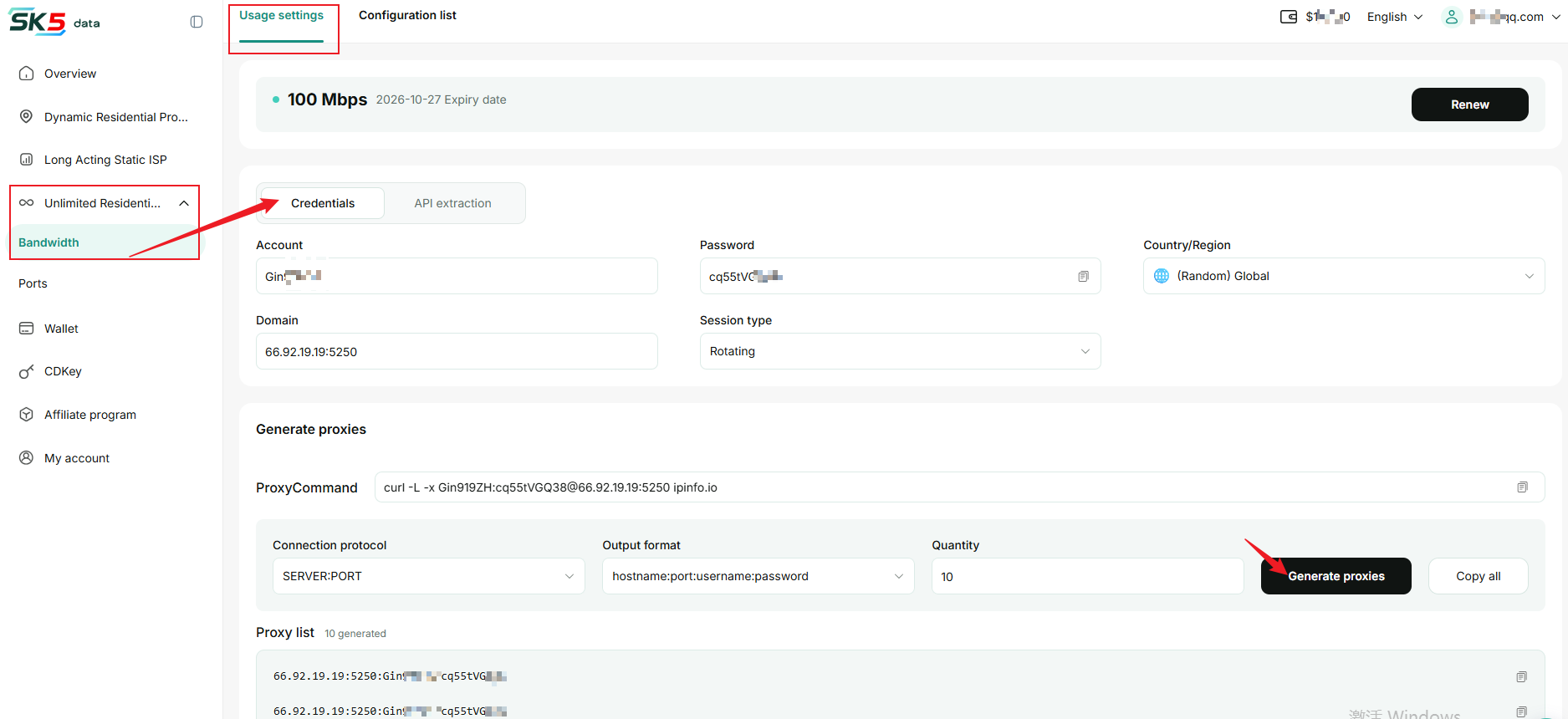
Go to the dashboard and navigate to Unlimited Residential Proxies → Bandwidth → Usage Settings, then select Username & Password Generation.
1. Account Information
After activating your plan, the system automatically generates a proxy username, password, and hostname. You can view these details on the page.
2. Select Target Location
Choose your target location from the Country / Region dropdown menu. Select Global to let the system automatically assign IP addresses from around the world.
3. Session Type
- Sticky Session: Maintains the same IP address for 1–60 minutes.
- Rotating Session: Automatically changes the IP address with each request, ideal for high-anonymity web scraping.
4. Test Proxy Connectivity
Copy the command provided under Proxy Command and run it in your terminal to verify that the proxy connection is working properly.
5. Generate & Export Proxies
In the Generate Proxies section, select the connection protocol and output format, then enter the number of proxies you want to generate. Click Generate Proxies.
For example, if you select hostname:port:username:password, the output will follow this format.
The generated proxies will appear in the Proxy List below. Click Copy All to copy the connection details into your proxy tool or script.
4. Configuration List
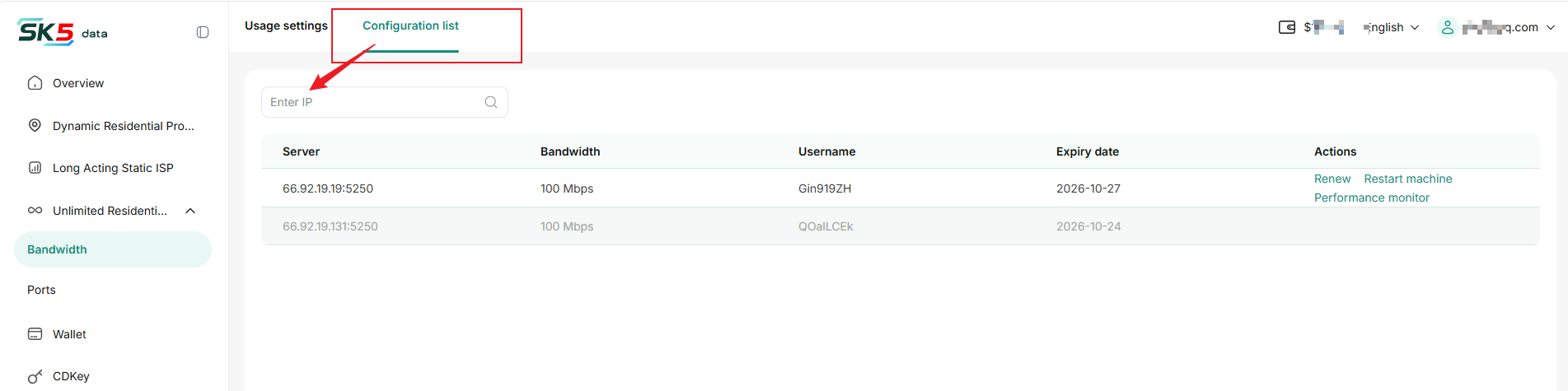
Go to Configuration List to view your purchased server configurations and plan details, including server addresses, bandwidth, usernames, and expiration dates.
You can enter an IP address in the search bar to quickly find the corresponding
configuration.
Renewal
- Find the active plan you want to renew and click Renew in the Actions column.
- Select the renewal duration, review the total amount, and complete the payment.
- After successful payment, the plan's expiration date will be extended from its original expiration date.
Note: Plans can only be renewed during their validity period. Once a plan expires, its server resources will be released immediately, and the plan can no longer be used or renewed. Please renew before the expiration date.
Restart Server
If the server encounters an issue, click Restart Server to restart it.
Note: Proxy connections may be interrupted for approximately 1 minute during the restart. Avoid restarting the server while tasks are running.
Performance Monitoring
Click Performance Monitoring to view the server's bandwidth usage, CPU utilization, and memory usage through line charts, helping you monitor the server's operating status.